
Inquiry in, booking out. Nothing to do.
An inquiry comes in through your form. SaleQ replies instantly with your booking link. The prospect picks a time. You get a client, an activity, and a session on your calendar — without touching your inbox.
Share your form link on your website, in your email signature, on social profiles, or anywhere else prospects find you. This is the feature that makes SaleQ different: speed plus automation, so no inquiry ever sits waiting for a reply.
Customizable fields
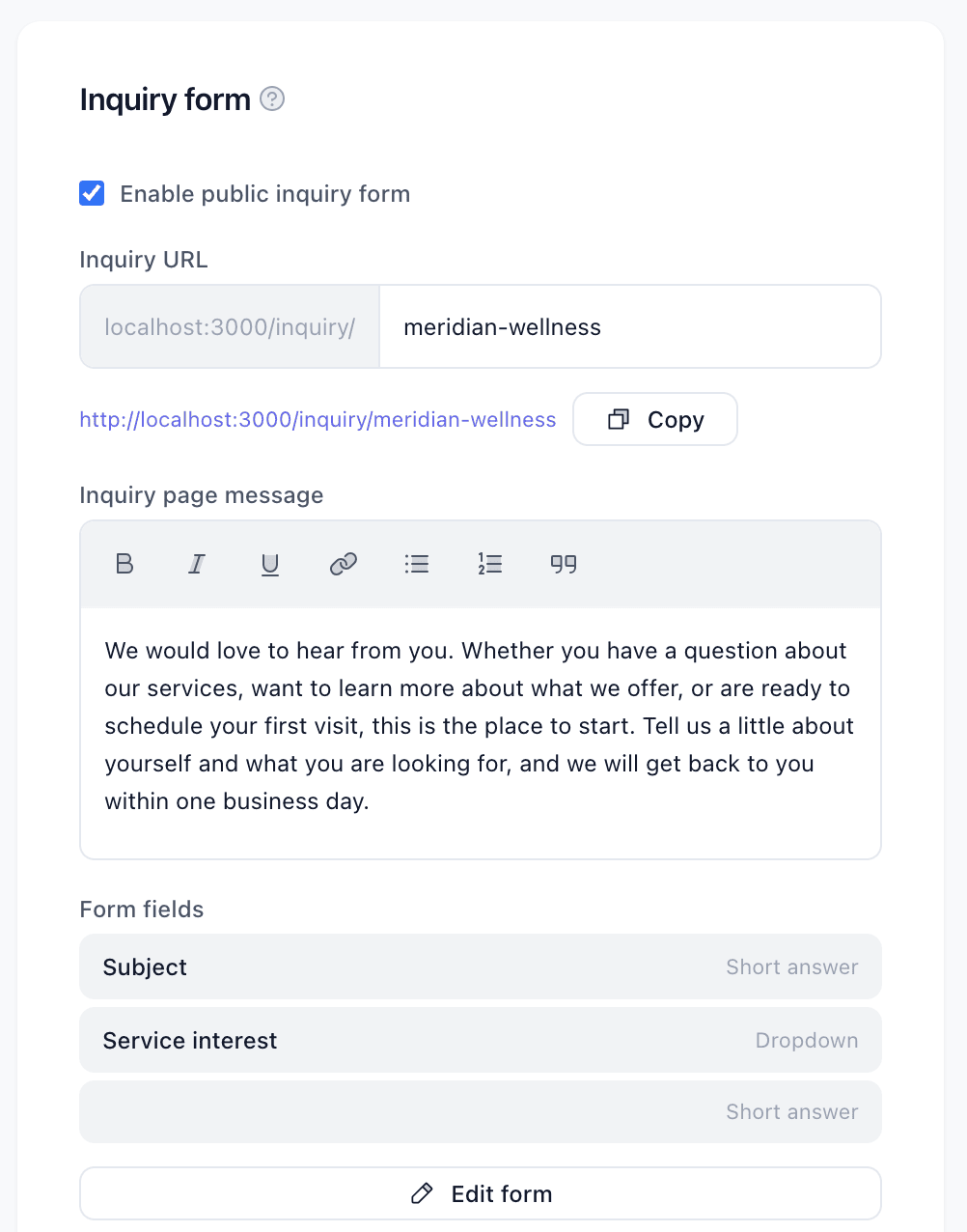
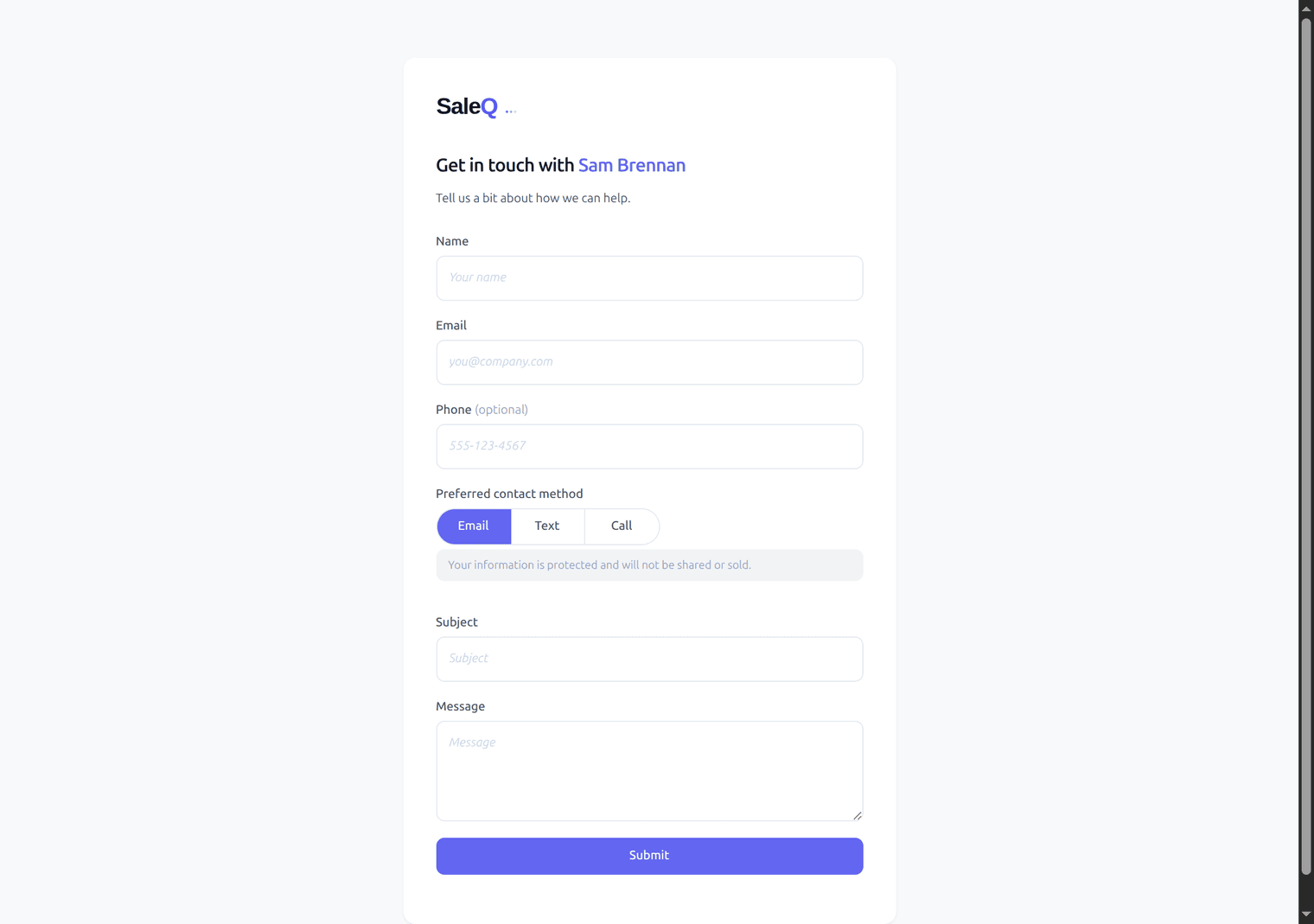
Your inquiry form includes standard fields — name, email, phone — plus custom questions you define:
- Short answer for quick responses like “How did you hear about us?”
- Long answer for detailed messages and descriptions
- Dropdown for structured choices like service type or budget range
- Preferred contact method — email, text, or phone call — with SMS consent handled automatically
Auto-reply that builds trust
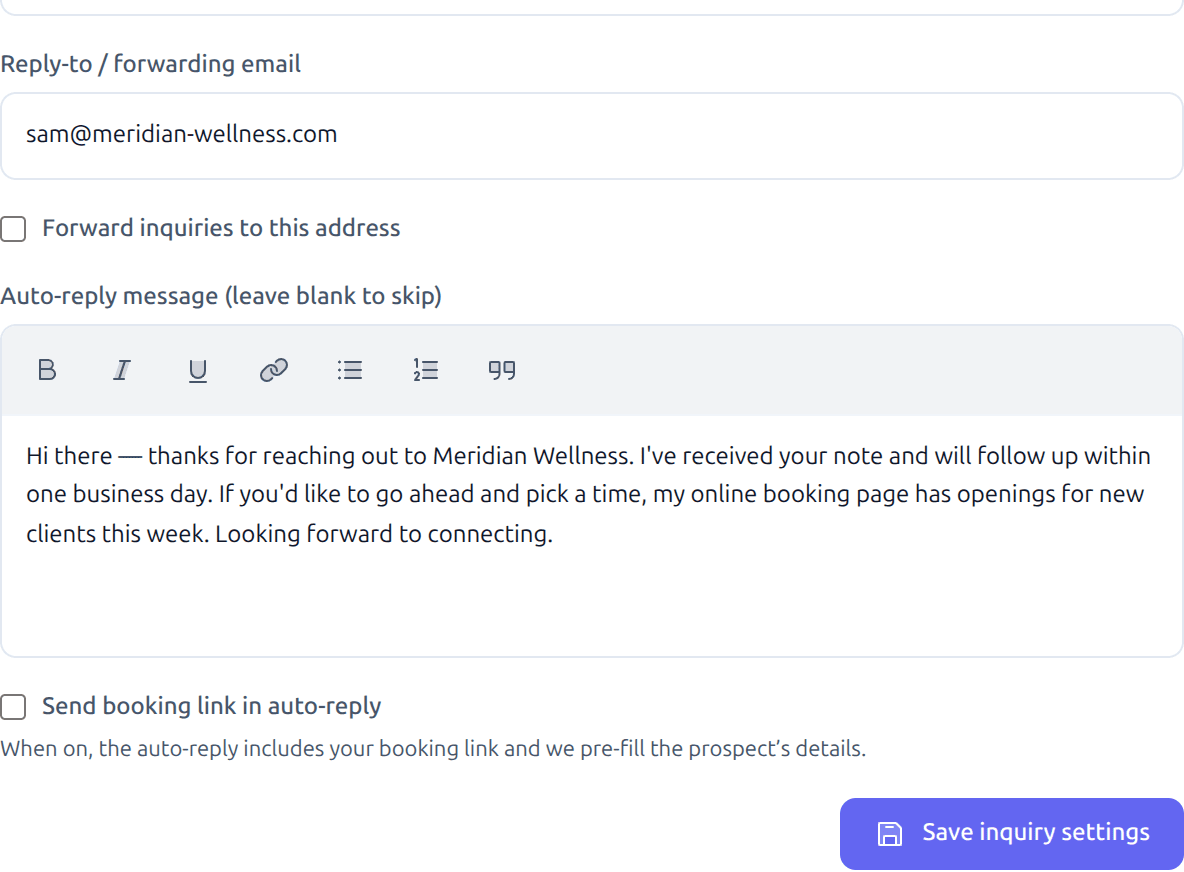
Prospects who get a quick response are more likely to follow through. SaleQ’s auto-reply acknowledges every inquiry immediately — by email or text message, based on the prospect’s preference.
Customize the reply message with your own voice and branding. Include a link to your booking page so prospects can schedule a meeting right away.
The inquiry form starts a conversation. Prospects who ask questions and get responses are more likely to book. The back-and-forth builds trust with your brand before you ever meet in person.
What prospects see
Your inquiry form is a clean, fast page with your team’s branding. Prospects fill in their details, answer your custom questions, and submit. No account creation, no friction.
What happens after submission
- Client created in SaleQ with the prospect’s name, email, phone, and preferred contact method
- Activity recorded on the client’s timeline with the full inquiry details and custom field responses
- Auto-reply sent to the prospect via email or text
- Forwarded to any email address you configure — front desk, team owner, or a shared inbox
One inquiry form per account, shared across the team. Everyone sees the same inquiries, and the client record is available immediately for follow-up.
Works with the rest of SaleQ
Inquiry forms connect to everything else:
- Booking calendar — include your booking link in the auto-reply to convert inquiries into meetings
- Google sync — follow-up emails and calendar events appear on the client’s timeline automatically
- Keyboard shortcuts — Cmd+K to search for a client by name, then review their inquiry and full history