
Why sync matters
The biggest problem with business tools is empty ones. If you have to manually enter every client, log every email, and copy every meeting, you won't. The data goes stale, and the tool becomes a chore instead of a tool.
SaleQ connects to the tools you already use — Gmail, Google Calendar, and Google Contacts — and keeps everything current without any manual work.
How to connect
- Go to your Profile page (click your avatar and select Profile, or press g then r)
- Scroll to Connected accounts
- Click Connect Google
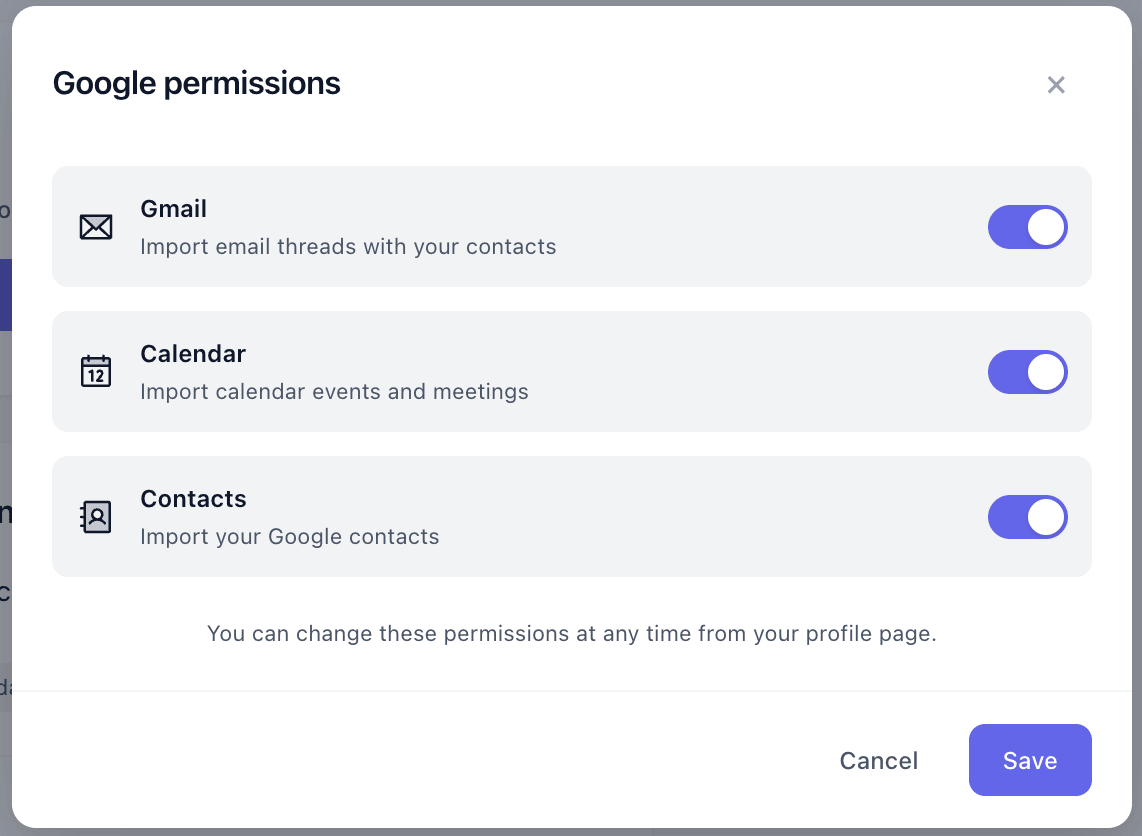
- Choose which permissions to enable — Gmail, Calendar, Contacts, or all three
- Click Save and authorize on Google's consent screen
Google Contacts sync
Your Google Contacts appear in SaleQ as clients automatically. New people you add to Google Contacts show up in SaleQ on the next sync. Names, emails, phone numbers, and organizations are all imported.
- Clients are matched by email to avoid duplicates
- Sync runs every 10 minutes in the background
Google Calendar sync
Calendar events become activities in SaleQ, linked to the right clients and engagements. Meetings with prospects show up on their timeline without you doing anything.
- Events appear as "meeting" activities with duration, attendees, and description
- All-day events are supported
- Cancelled events are tracked so you see the full history
- Attendees are resolved to existing clients and team members
Gmail sync
Email threads involving your clients appear as activities on their timeline. You get a complete picture of every interaction without forwarding emails or installing browser extensions.
- Threads are matched to clients by email address
- Subject lines, timestamps, and snippets are imported for context
- Email content is only visible to team members who are on the thread
- New threads are picked up on each sync cycle
Managing your connection
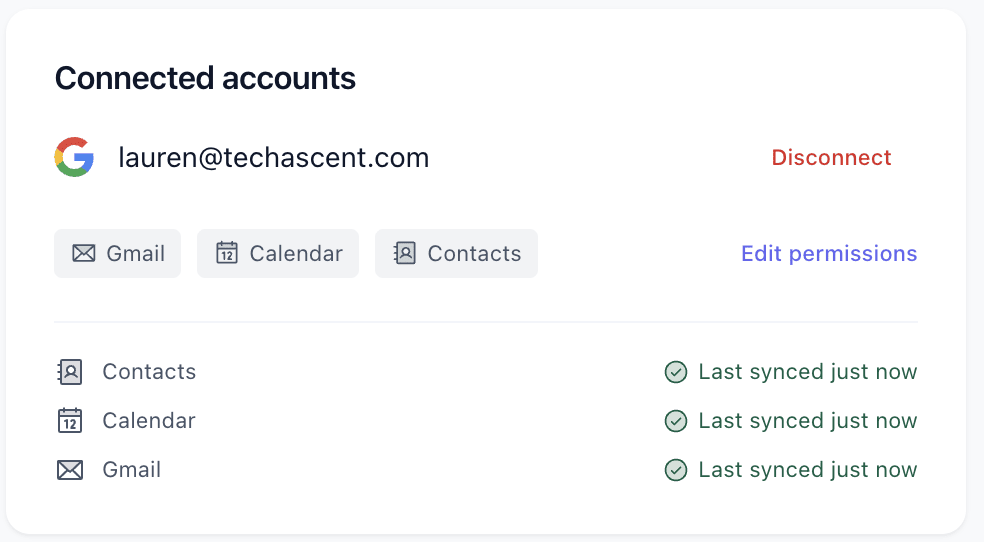
You can edit permissions, disconnect, or reconnect at any time from your Profile page. The profile shows your connection status, which permissions are active, and when each source last synced.
Privacy and security
- OAuth tokens are encrypted at rest
- Email content is scoped to team members on the thread
- You can revoke access from your Google account settings at any time
- SaleQ never shares your Google data with third parties